
AI Tracking For Septic Service Companies: When a Septic System Backs Up, Does AI Name You?
See whether ChatGPT, Gemini and Google AI recommend you for pumping, inspection and repair — and fix it when they don’t.
- ✓ One score across all six AI engines for your service area
- ✓ Diagnose why another septic company gets recommended
- ✓ Track pumping, inspection and repair searches separately
As seen on

Watch a 2-Minute Walkthrough
See exactly how BFE scans your visibility across every AI engine — and hands you the plan to fix it.
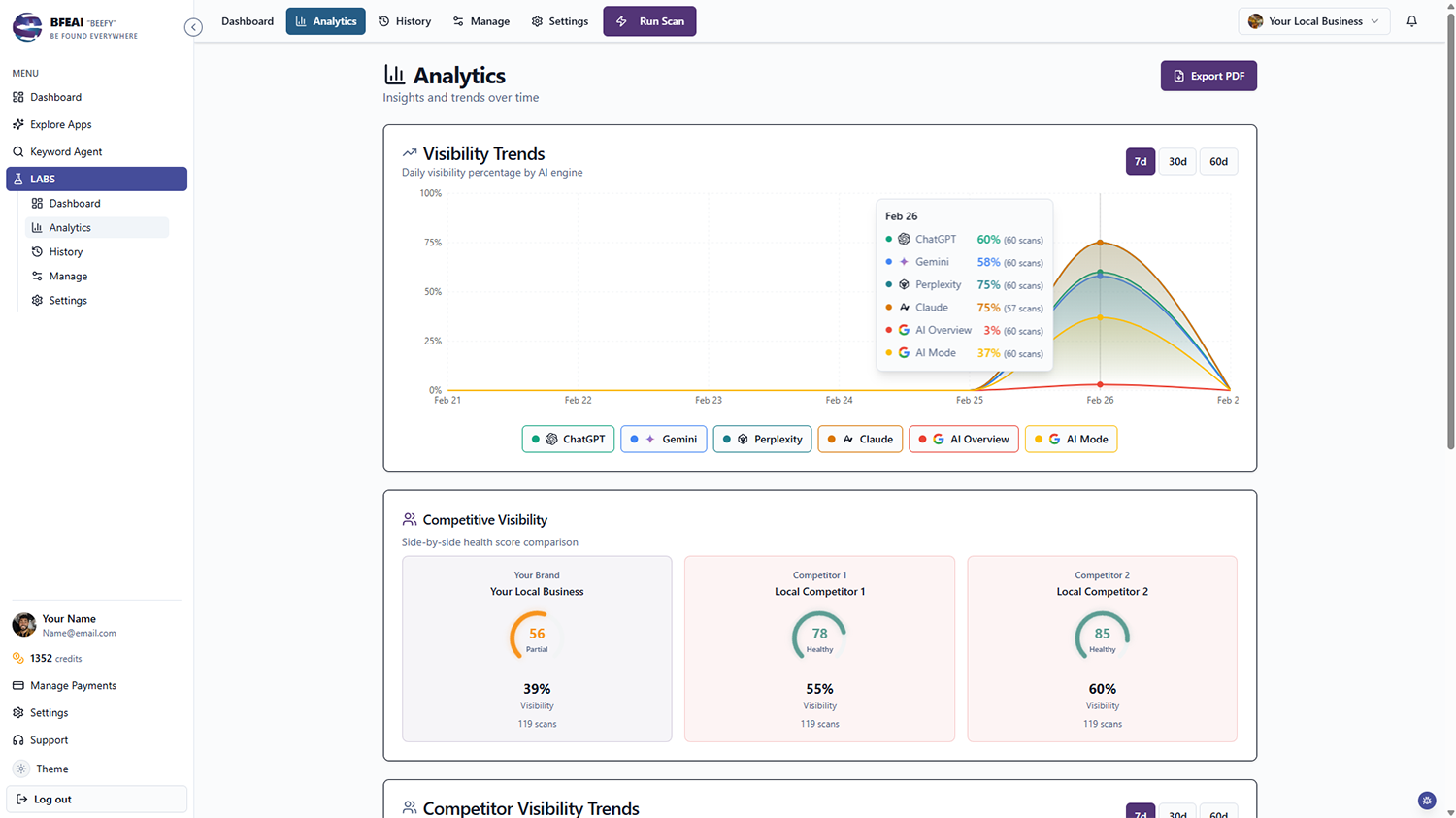
BFE shows septic service companies whether AI tools like ChatGPT, Gemini and Google’s AI Overviews recommend them when property owners search for septic pumping, inspection or system repair.
You get one clear visibility score across all six engines for every town you cover.
When another company is named instead, Diagnose explains why and returns a step-by-step plan to close the gap.
Septic Problems Are Urgent, Rural and Won in the AI Answer
A backing-up system is an emergency with few local providers. Whoever AI names gets the truck rolled.
Missing on Emergency Searches
You serve the area but aren’t in the AI answer when a system fails.
Inspections Lost
Real-estate transaction inspections are steady work and untracked in AI answers.
Wide Areas Unmeasured
You cover many rural towns with no read on visibility in each one.
Know Whether AI Sends Septic Calls Your Way
Your Coverage Map Scorecard
One dashboard showing whether each engine recommends you for pumping, inspection and system repair.
See LABS →Why the Other Company Won
See which septic company is recommended instead, why they win, and how to close it.
How Diagnose works →Weekly Visibility Trend
Schedule automatic scans and watch your visibility climb week over week.
See scheduling →Find the Septic Terms That Convert
Use Keyword Agent to surface the septic searches worth winning in your market.
See Keyword Agent →Checking Septic Answers by Hand vs. BFE
| Checking it yourself | With BFE | |
|---|---|---|
| Coverage across your whole area | One blended impression | Scored town by town |
| The company that owns that town | Never find out | Identified per town, with the reason |
| Real-estate inspection searches | Never checked | Scored as their own keywords |
| Emergency backup phrasing | Untested | Scanned as customers ask it |
| What you do next | Drive further for work | Work the fix list yourself |
Why Rural Coverage Makes AI Visibility Uneven
Septic work spans a wide, thinly populated service area. An AI assistant answering "who services septic systems near me" resolves that differently in every town — so you can be the obvious choice in one place and invisible fifteen miles away.
What drives it is review recency and volume, Google Business Profile completeness, licensing and county listings, directory presence, brand mentions, and whether your site actually names the towns and services you cover.
From Invisible to Recommended
BFE scans all six engines anonymously and lets you score each town separately, so you see where your coverage is real and where it only exists on paper.
When you’re missing, Diagnose returns the reason for one credit — which company is cited, what drives it, and the steps to close the gap. Schedule scans and watch the score climb.
From Strong in One Town to Named in All of Them
A visibility score is only the start. When AI isn’t recommending your septic company, Diagnose gives you a plain-language plan you can act on this week — no agency required.
Scan Town by Town
Run pumping, inspection and repair keywords for each town you cover — the answer changes fifteen miles down the road.
See Who Covers It Better
One credit names the company recommended in that town and whether reviews, county listings or content earned it.
Get the Fix List
BFE returns what to change: town pages that actually name the towns, review cadence, county and directory listings.
Re-Scan Per Town
Scheduled scans show your coverage map filling in, one town at a time.
not one blended average
Your service area is wide and thin. See where you’re genuinely the obvious choice and where you only exist on paper.
Read the case studies →I finally know whether AI recommends my business — and Diagnose told me exactly what to fix.

One Price, Every App, Every Agent
Every plan includes LABS, Keyword Agent, and every agent we launch — with a shared credit pool and 3-month rollover.
Lite
Lock in your price for life
- ✓500 credits
- ✓Access to all apps
- ✓3-month credit rollover
Plus
240% more credits than Lite
- ✓1,700 credits
- ✓Lock in your price for life
- ✓Access to all apps
Max
220% more credits than Plus
- ✓5,500 credits
- ✓Lock in your price for life
- ✓Access to all apps
Frequently Asked Questions
Can I track each town separately?
Yes. Add a profile per area or add town-specific keywords — BFE charges by scan credits, not per location.
How is this different from searching ChatGPT myself?
Your own searches are personalized. LABS scans anonymously so you see the real-world answer.
What does the Diagnose feature do?
For one credit, LABS tells you why you’re not cited — who ranks instead, why, and a step-by-step plan to start showing up.
What if I don’t use all my credits?
Credits roll over for 3 months, so you can bank them and scan your whole coverage map at once rather than a town at a time.
Related Pages
LABS
Track AI-answer visibility across all six engines with scheduled scans and white-label reports.
Learn more →Keyword Agent
Find the search terms worth ranking for, then feed them into your visibility strategy. Next generation keyword research.
Learn more →OffPage Agent
Get spam free links created on autopilot. One click to get multiple layers of links, siphoning power straight from Google.
Learn more →