
AI Tracking For Concrete Contractors: Does AI Recommend Your Concrete Company for Driveways and Slabs?
See whether ChatGPT, Gemini and Google AI name you for driveways, patios and foundations — and fix it when they don’t.
- ✓ One score across all six AI engines for your service area
- ✓ Diagnose why another concrete contractor gets recommended
- ✓ Track driveway, patio, slab and stamped-concrete searches
As seen on

Watch a 2-Minute Walkthrough
See exactly how BFE scans your visibility across every AI engine — and hands you the plan to fix it.
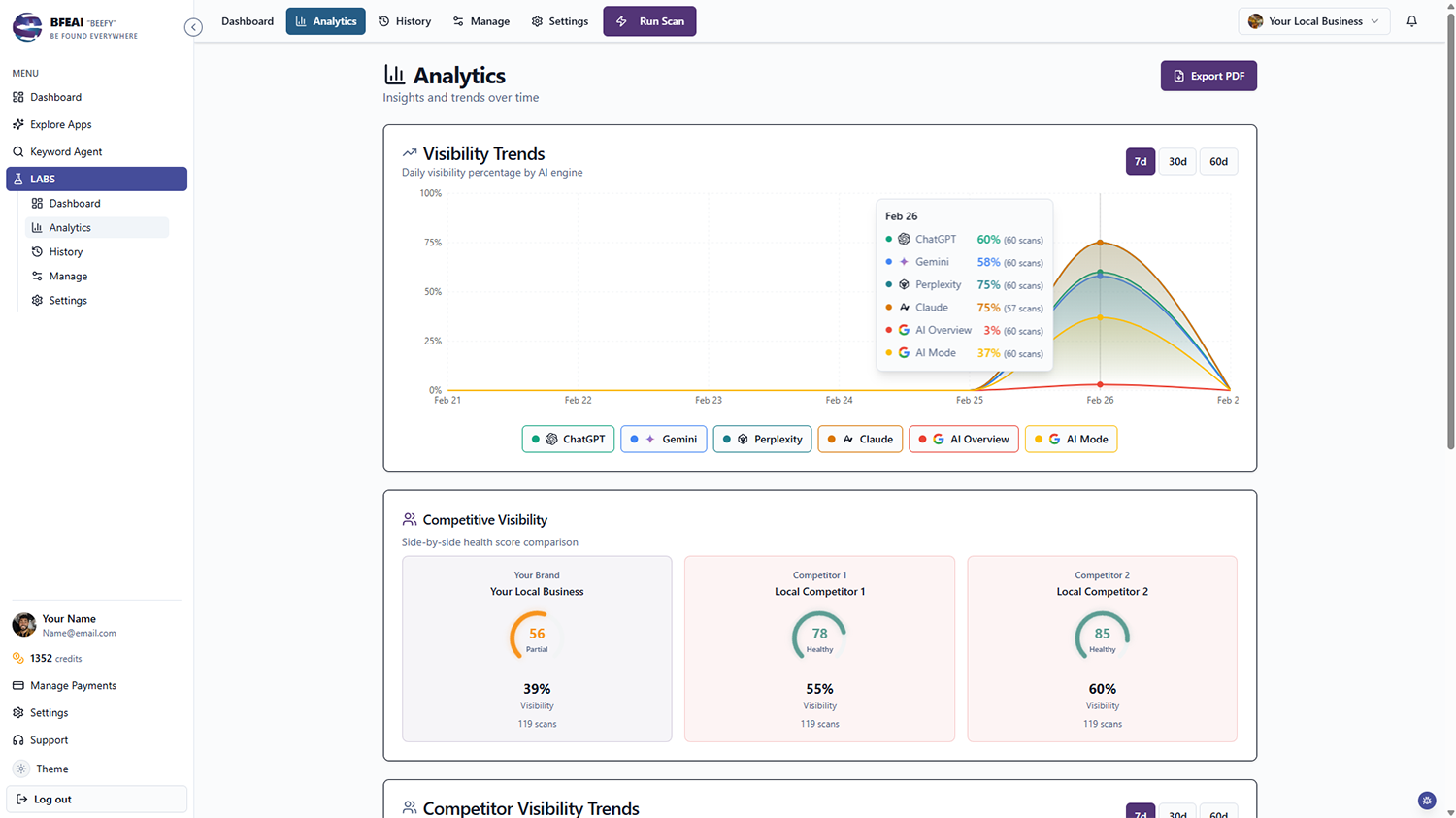
BFE shows concrete contractors whether AI tools like ChatGPT, Gemini and Google’s AI Overviews recommend them when people research driveways, patios, slabs, foundations or decorative concrete.
You get one clear visibility score across all six engines for your service area.
When another contractor is named instead, Diagnose explains why and returns a step-by-step plan to close the gap.
Concrete Jobs Are Big, Permanent and Researched First
Homeowners ask AI about cost per square foot, cure times and who does clean work. Cited contractors get the bids.
Missing From Cost Answers
Buyers ask AI what a driveway costs and get contractor names attached.
Decorative Work Lost
Stamped and stained concrete is premium work and untracked in AI answers.
Commercial Work Unmeasured
GCs and property managers search differently and you have no read on it.
Know Whether AI Sends Concrete Projects Your Way
Your Service Scorecard
One dashboard showing whether each engine recommends you for driveways, patios, slabs and decorative work.
See LABS →Why the Other Contractor Won
See which concrete contractor is recommended instead, why they win, and how to close it.
How Diagnose works →Weekly Visibility Trend
Schedule automatic scans and watch your visibility climb week over week.
See scheduling →Find the Concrete Terms That Convert
Use Keyword Agent to surface the concrete searches worth winning in your market.
See Keyword Agent →Checking Concrete Answers by Hand vs. BFE
| Checking it yourself | With BFE | |
|---|---|---|
| "What does a driveway cost" questions | Never checked | Scored as their own keywords |
| The contractor that got the bid | No visibility | Identified, with what earned it |
| Driveways vs. patios vs. slabs | One blended check | Scored as separate keywords |
| Stamped and decorative work | Lost in generic terms | Scored on its own |
| What you do next | Bid lower per yard | Work the fix list yourself |
Why Permanent Work Gets Researched Hard
Concrete cannot be undone cheaply. Homeowners want to understand thickness, reinforcement, cure time, drainage and cost before they commit, and they work through it with an AI assistant that answers the technical question and names local contractors.
Being named depends on review recency and volume, project-photo-rich Google Business Profiles, licensing and directory listings, brand mentions, and how thoroughly your site explains methods, pricing factors and the cities you serve.
From Invisible to Recommended
BFE scans all six engines anonymously so you see the answer a researching homeowner or GC gets rather than one personalized to you, reduced to one health score.
When you’re missing, Diagnose explains it for one credit — which contractor is cited, the signals behind it, and the steps to close the gap. Schedule scans and watch the score climb.
From Cost Question to Named Contractor
A visibility score is only the start. When AI isn’t recommending your concrete contractor, Diagnose gives you a plain-language plan you can act on this week — no agency required.
Scan the Cost Questions
Run driveway, patio, slab and stamped keywords across all six engines — buyers ask what it costs before they ask who pours it.
See Who Got the Bid
One credit names the contractor recommended instead and whether project photos, reviews or technical content earned it.
Get the Fix List
BFE returns what to strengthen: pricing-factor and method content, project galleries, review cadence, city pages.
Re-Scan and Track the Climb
Scheduled scans show whether you’re entering the answers that produce estimate requests.
checked before the bids go out
Concrete is permanent and researched hard. Know whether the engines name you during that research.
Read the case studies →I finally know whether AI recommends my business — and Diagnose told me exactly what to fix.

One Price, Every App, Every Agent
Every plan includes LABS, Keyword Agent, and every agent we launch — with a shared credit pool and 3-month rollover.
Lite
Lock in your price for life
- ✓500 credits
- ✓Access to all apps
- ✓3-month credit rollover
Plus
240% more credits than Lite
- ✓1,700 credits
- ✓Lock in your price for life
- ✓Access to all apps
Max
220% more credits than Plus
- ✓5,500 credits
- ✓Lock in your price for life
- ✓Access to all apps
Frequently Asked Questions
Can I track decorative work separately?
Yes. Add keywords per service — concrete driveway, stamped concrete patio, slab foundation — and LABS scores each across all six engines.
How is this different from searching ChatGPT myself?
Your own searches are personalized. LABS scans anonymously so you see the real-world answer.
What does the Diagnose feature do?
For one credit, LABS tells you why you’re not cited — who ranks instead, why, and a step-by-step plan to start showing up.
What if I don’t use all my credits?
Credits roll over for 3 months, which covers the winter stretch when pours slow down and planning picks up.
Related Pages
LABS
Track AI-answer visibility across all six engines with scheduled scans and white-label reports.
Learn more →Keyword Agent
Find the search terms worth ranking for, then feed them into your visibility strategy. Next generation keyword research.
Learn more →OffPage Agent
Get spam free links created on autopilot. One click to get multiple layers of links, siphoning power straight from Google.
Learn more →